

The LA-M392P BIOS is designed for the Dell Latitude 9440 2-in-1 laptop, a premium business-class device built for professional productivity. This BIOS firmware dump contains the essential system firmware required for hardware initialization, power management, and stable system boot.
If your Dell Latitude 9440 laptop experiences problems such as no display, BIOS corruption, boot failure, or system stuck at the Dell logo, reprogramming the BIOS using a verified dump can often restore normal functionality. This BIOS file is prepared for professional laptop repair technicians and motherboard-level diagnostics, making it suitable for repair labs in India, USA, and other international markets.
About Dell Latitude 9440 2-in-1 Series
The Dell Latitude 9440 2-in-1 is part of Dell’s high-end Latitude business laptop lineup. Designed for enterprise users, this device offers premium build quality, advanced security features, and strong performance for professional workloads.
With its 2-in-1 convertible design, the Latitude 9440 can function both as a laptop and a tablet, making it ideal for business meetings, presentations, and mobile productivity. Because of its advanced hardware platform and widespread corporate use, technicians may occasionally require BIOS firmware files for troubleshooting and motherboard repair.
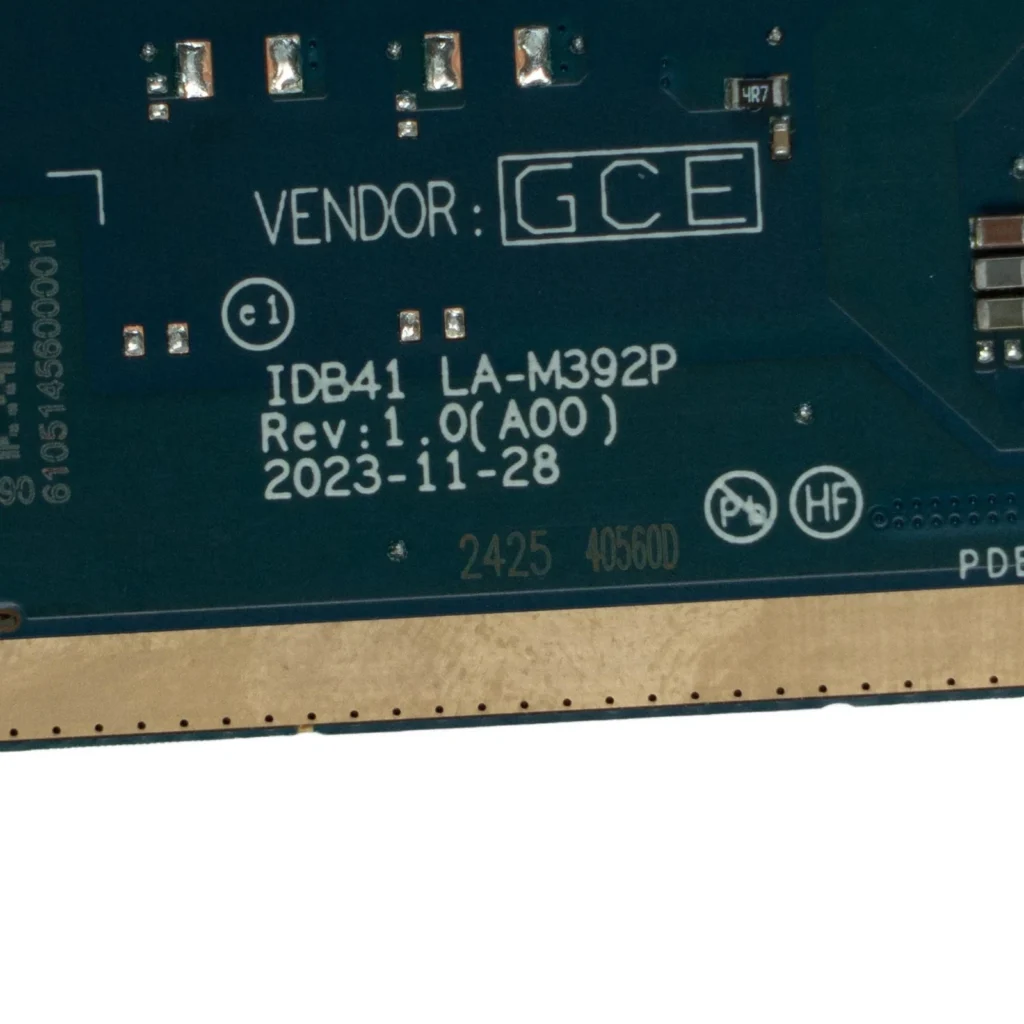
| Parameter | Details |
|---|---|
| Motherboard | LA-M392P |
| Laptop Model / Series | Dell Latitude 9440 2-in-1 |
| Main BIOS Size | 64mb |
| Platform | Intel Platform |
| EC BIOS | – |
| Tested | Yes with Clean Me (Not Tested yet ) |
BIOS Download
Login is required to download the BIOS file. Registered members can access the verified BIOS dump package for professional repair and diagnostic use.
BIOS Package Information
- Main BIOS file – 64MB
- Clean firmware dump
- Verified working BIOS
- Stable boot tested
- Suitable for motherboard repair
- Compatible with common SPI programmers
🔄 Update BIOS from Official Dell Support (For Working Laptops)
If your Dell laptop is powering on normally and working without major issues, it is recommended to update the BIOS using the official Dell support website.
Dell provides the latest BIOS updates based on your exact laptop configuration using the Service Tag, ensuring proper compatibility and system stability.
👉 Visit Dell official support page:
https://www.dell.com/support/home/en-in?app=drivers
Steps to follow:
- Enter your Dell laptop Service Tag or model number
- Open the Drivers & Downloads section
- Download the latest BIOS version available
- Follow Dell’s official update instructions carefully
⚠️ Note: Official BIOS updates are always safer for working systems. The BIOS files provided on this page are intended for repair purposes such as BIOS corruption, no display, or boot failure.
About the LA-M392P Motherboard
The LA-M392P motherboard is used in the Dell Latitude 9440 2-in-1 laptop. This motherboard integrates the CPU platform, chipset, memory controller, and power management circuits required for system operation.
Like most modern laptops, the motherboard stores firmware inside a SPI flash BIOS chip. This BIOS firmware controls hardware initialization, device communication, and the system boot process. If the firmware becomes corrupted due to interrupted updates, firmware bugs, or electrical issues, the laptop may fail to boot properly. Reprogramming the BIOS using a verified dump file can help restore the motherboard to working condition.
When to Flash This BIOS
You may need to flash this BIOS when experiencing the following issues:
- Laptop powers on but no display
- System stuck at Dell logo
- BIOS corruption
- Laptop not booting properly
- Automatic restart loop
- Failed BIOS update
Flashing Instructions
- Disconnect the battery and power adapter.
- Locate the SPI BIOS chip on the motherboard.
- Use a programmer such as CH341A, RT809H, or TL866.
- Backup the original BIOS file before writing a new one.
- Load the new BIOS dump into the programming software.
- Write the BIOS file to the SPI flash chip.
- Verify the writing process.
- Reassemble the laptop and test the system boot.
Important Notes
- Always verify the motherboard model LA-M392P before flashing.
- Backup the original BIOS for recovery.
- Use a reliable SPI programmer.
- BIOS flashing should only be performed by experienced technicians.
FAQ
Q: What is the BIOS size of the LA-M392P motherboard?
A: The BIOS size for this motherboard is 64MB SPI flash memory.
Q: Which laptop uses the LA-M392P motherboard?
A: The Dell Latitude 9440 2-in-1 uses this motherboard.
Q: When should I flash this BIOS?
A: Flash this BIOS when the laptop has BIOS corruption, no display, boot failure, or firmware issues.
Disclaimer
The BIOS files available on this website are provided for educational and professional laptop repair purposes only. Flashing BIOS firmware carries risks and should be performed only by qualified technicians. The website is not responsible for any damage caused by improper BIOS flashing.