

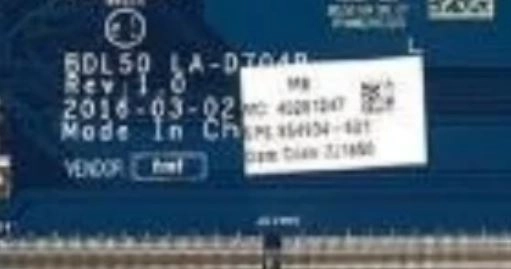
LA-D704P BIOS package is designed for the HP 250 G5 laptop series, based on the BDL50 motherboard platform. This package includes:
- Tested BIOS dump (Rev 1.0 / 4.0)
- EC BIOS firmware
- Schematic diagram
This complete firmware and repair bundle is widely used by technicians to fix BIOS corruption, no display, dead board, and power-related issues.
💻 Supported Model & Platform
This firmware package supports:
- HP 250 G5 BIOS
- Motherboard: LA-D704P
- Board Code: BDL50
- Revisions: Rev 1.0 / Rev 4.0
👉 HP 250 G5 is widely used in business and education sectors globally (USA, UK, India).
📦 Package Contents
- ✔ LA-D704P BIOS (Rev 1.0 / 4.0)
- ✔ EC BIOS firmware
- ✔ LA-D704P schematic file
- ✔ Tested and verified files
👉 BIOS + EC + schematic combination is ideal for complete motherboard repair.
| Parameter | Details |
|---|---|
| Motherboard | BDL50 LA-D704P |
| Laptop Model / Series | HP 250 G5 |
| Main BIOS Size | 8 mb |
| EC Controller | KB9022D |
| EC BIOS | 128kb |
| Tested | Clean me ver 1.0 tested ver 4.0 clean me not tested by us |
🛠️ Issues This Package Can Fix
This LA-D704P BIOS & EC package is useful for:
- No display / black screen
- Laptop stuck at HP logo
- BIOS corruption
- Boot failure
- Dead motherboard diagnosis
- Power and charging issues (EC related)
🔍 Importance of EC BIOS & Schematic
EC BIOS (Embedded Controller) controls:
- Keyboard & touchpad
- Fan & thermal system
- Battery charging
- Power sequencing
Schematic diagram helps:
- Circuit tracing
- Fault finding
- Component-level repair
👉 Dono milke advanced troubleshooting possible banate hain.
📥 Download Information
- Login required
- Select correct revision (Rev 1.0 / 4.0)
- Recommended for professional technicians
🧠 Motherboard Insight
The LA-D704P (BDL50) motherboard integrates:
- Intel processor platform
- Memory controller
- Graphics interface
- Power management circuits
The system depends on:
- Main BIOS firmware
- EC firmware
If either firmware fails, system may not boot or behave abnormally.
⚡ Flashing & Repair Steps
- Disconnect battery and adapter
- Locate BIOS & EC chip
- Backup original firmware
- Flash LA-D704P BIOS
- Flash EC BIOS if required
- Use schematic for hardware diagnosis
- Reassemble and test
⚠️ Important Notes
- Verify motherboard LA-D704P (BDL50)
- Match correct revision before flashing
- Always keep backup
- Use reliable SPI programmer
🔄 Update BIOS from Official HP Support (For Working Laptops)
If your HP laptop is powering on normally and the system is functioning properly, it is always recommended to update the BIOS using the official HP support website.
HP provides the latest BIOS updates based on your exact laptop model, ensuring compatibility and system stability.
👉 You can download the official BIOS update from HP here:
https://support.hp.com/us-en/drivers/laptops
Before updating, make sure to:
- Enter your correct HP laptop model number
- Download the latest BIOS version available
- Follow HP’s official update instructions carefully
⚠️ Note: Official BIOS updates are safer for working systems. The BIOS files provided on this page are mainly intended for repair purposes such as BIOS corruption, no display, or boot failure.
⚠️ Important Disclaimer
⚠️ Not a technical person?
If you are not a trained technician, please do not attempt to flash the BIOS of your HP 250 G5 (LA-D704P BDL50 motherboard) without proper knowledge and tools. Incorrect BIOS or EC flashing can permanently damage the motherboard.
BIOS programming and motherboard repair require chip-level expertise and professional diagnostic equipment.
If you need professional help, you can visit our repair service network:
👉 https://ezonecare.com/ (Search your city)
📍 New Delhi → Laptop Repair in New Delhi
📍 Ranchi → Laptop Repair in Ranchi
📍 Chandrapur → Laptop Repair in Chandrapur
Our technicians specialize in BIOS flashing, EC firmware programming, schematic-based troubleshooting, and chip-level repairs.
Disclaimer
These files are provided for educational and professional repair purposes only. Improper flashing may damage the motherboard.