

The GL503GE BIOS package for ASUS ROG GL503GE is built for the DABKLBMB8C0 BIOS motherboard platform based on Intel Cannonlake HM370 chipset. This package includes a Clean ME BIOS, ASUS GL503GE EC BIOS, and GL503GE boardview file, making it a complete solution for firmware repair.
Technicians often use this DABKLBMB8C0 BIOS when dealing with problems such as no display, BIOS corruption, or boot failure.
💻 Supported Model & Platform
This firmware package supports:
- ASUS ROG GL503GE BIOS
- Motherboard: DABKLBMB8C0 BIOS
- Chipset: Cannonlake HM370 BIOS platform
These gaming laptops frequently require BIOS-level repair due to heavy usage and firmware issues.
📦 What’s Included in the Package
- ✔ GL503GE BIOS (Clean ME)
- ✔ ASUS GL503GE EC BIOS
- ✔ GL503GE boardview file
- ✔ Tested working firmware dump
👉 This combination is especially useful when BIOS + EC mismatch causes system failure.
| Parameter | Details |
|---|---|
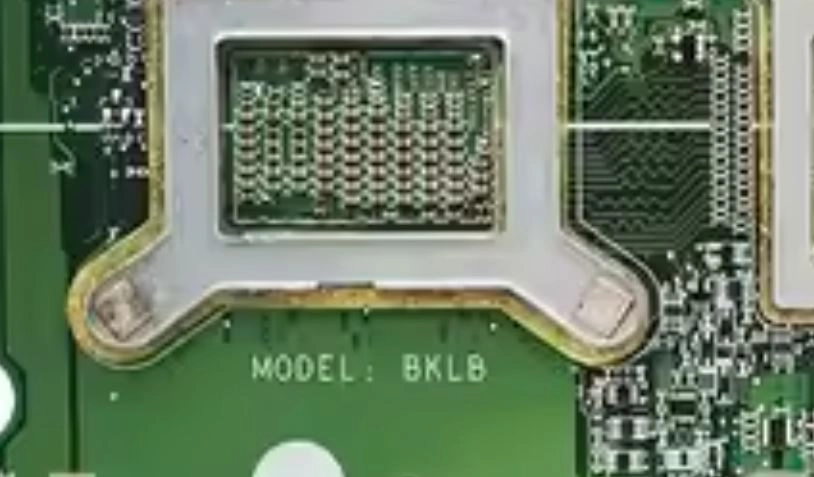
| Motherboard | DABKLBMB8C0 , BKLB |
| Laptop Model / Series | ASUS GL503GE |
| Main BIOS Size | 16 MB |
| EC Controller | IT8987E |
| EC BIOS | 128kb |
| Tested | Yes , Clean Me OK Bios |
🛠️ Common Problems Fixed
Using this GL503GE BIOS Clean ME firmware can help fix:
- No display issue
- Laptop stuck at ASUS logo
- BIOS corruption
- Restart loop
- EC firmware-related problems
- Failed BIOS update
🔍 Importance of Clean ME BIOS
The Clean ME BIOS ensures proper Intel Management Engine initialization. This improves:
- System boot stability
- Hardware communication
- Firmware error correction
For Cannonlake HM370 BIOS systems, Clean ME is very important for stable performance.
📥 BIOS Download
After login, you can download:
- DABKLBMB8C0 BIOS file
- ASUS GL503GE EC BIOS
- GL503GE boardview
These files are intended for professional motherboard repair use.
🧠 Motherboard Insight
The DABKLBMB8C0 BIOS motherboard used in ASUS GL503GE integrates:
- Intel HM370 chipset
- GPU interface
- RAM controller
- Power circuits
The system depends on both:
- Main BIOS firmware
- EC BIOS firmware
If either firmware fails, the laptop may not boot.
⚡ Flashing Quick Guide
- Disconnect battery and power
- Identify BIOS and EC chip
- Backup original firmware
- Flash GL503GE BIOS using SPI programmer
- Flash ASUS GL503GE EC BIOS if required
- Verify and test
⚠️ Before You Proceed
- Confirm motherboard DABKLBMB8C0 BIOS
- Always backup firmware
- Use stable SPI programmer
- Avoid incomplete flashing
⚠️ Important Disclaimer
⚠️ Not a technical person?
If you are not a trained technician, please do not attempt to flash the BIOS of your ASUS ROG GL503GE (DABKLBMB8C0 BIOS, Cannonlake HM370 platform) without proper knowledge and tools. Incorrect BIOS or EC flashing can permanently damage the motherboard.
BIOS and EC programming require chip-level repair expertise and proper diagnostic tools.
If you need professional help, you can visit our repair network:
👉 https://ezonecare.com/ (Search your city)
📍 New Delhi → https://ezonecare.com/new-delhi/
📍 Ranchi → https://ezonecare.com/ranchi/
📍 Chandrapur → https://ezonecare.com/chandrapur/
Disclaimer
This firmware is provided for educational and professional repair purposes only. Improper flashing may damage the motherboard.