
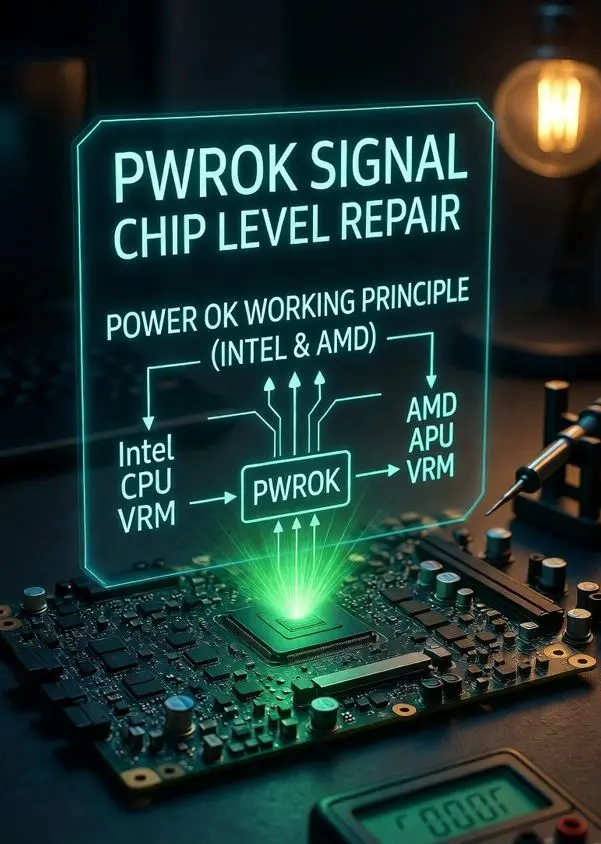
PWROK signal chip level repair is one of the most overlooked steps in laptop diagnosis, because PWROK is the gate that stands between stable power rails and a booting CPU. Without PWROK going HIGH, PLTRST# will never release. Without PLTRST#, the CPU will never start. Many technicians check all power rails with a multimeter, find the correct voltages, and still cannot understand why the board is dead. PWROK is almost always the missing answer.
This guide is part of our Chip Level Repair Signal Series. For full context, we recommend reading our Power Well guide and PLTRST# guide alongside this one — PWROK sits directly between them in the boot chain.
What is PWROK?
PWROK stands for Power OK. It is an Active-High signal — when PWROK is HIGH (3.3V), it tells the PCH that all core power rails are stable, within specification, and ready for the platform to boot. When PWROK is LOW, the PCH holds PLTRST# LOW and the entire platform remains in reset regardless of what the multimeter shows on the power rails.
Think of PWROK as a quality certificate — not just “power is present” but “power is stable, clean, and within tolerance.” A power rail can be present at 3.0V when it should be 3.3V, and PWROK will correctly refuse to assert. The multimeter shows voltage, but PWROK knows the voltage is out of spec.
| Signal | Type | Generated By | Goes To | Meaning When HIGH |
|---|---|---|---|---|
| PWROK | Active-High | Power Management IC / EC | PCH / FCH | All core rails stable — PCH can release PLTRST# |
| PLTRST# | Active-Low | PCH / FCH | CPU + all platform | Platform released — CPU starts |
| RSMRST# | Active-Low | EC firmware | PCH only | PCH initialized — ready to receive PWROK |
Where Does PWROK Fit in the Boot Chain?
PWROK sits at a very specific and critical point in the boot sequence — after the core power rails stabilize, and before PLTRST# can release:
Adapter or Battery Connected
        ↓
RTC Well → RTCRST# releases
        ↓
Suspend Well → EC powers up
        ↓
RSMRST# releases → PCH initializes
        ↓
Power button pressed
        ↓
Core Well activates
VCC3_3 stable → VCC5 stable → VCCCORE stable
        ↓
Power Management IC monitors all rails
        ↓ (100ms typical delay)
PWROK goes HIGH ← YOU ARE HERE
        ↓ (5–20ms typical delay)
PCH receives PWROK → releases PLTRST#
        ↓
CPU exits reset → first instruction fetch
        ↓
BIOS POST begins
Key point for repair: PWROK is not generated by the PCH — it is generated by the power management circuit and fed INTO the PCH. This means if PWROK is missing, the PCH itself may be completely healthy but still unable to release PLTRST#. Always check PWROK before suspecting PCH failure.
Who Generates PWROK?
This is where most technicians get confused — PWROK generation varies by platform and board design. Understanding who generates it tells you exactly where to look when it is missing.
On Intel Platforms
On Intel platforms, PWROK is typically generated by one of the following, depending on the board design and generation:
- Dedicated Power Management IC (PMIC) — monitors all core rails and asserts PWROK when all are within tolerance. Common on business-class laptops (Dell Latitude, HP EliteBook, Lenovo ThinkPad).
- EC firmware controlled — EC monitors power sequencing and generates PWROK signal after verifying rail stability. Common on consumer laptops.
- VRM with built-in PGOOD output — some voltage regulator modules have a Power Good (PGOOD) output that feeds directly into PWROK logic. If the VRM’s PGOOD is not asserting, PWROK will not go HIGH.
Important: On many boards, PWROK is actually a combination — multiple PGOOD signals from different regulators are combined through logic gates or the EC firmware, and the final combined signal becomes PWROK to the PCH. If any one regulator fails to assert its PGOOD, the entire PWROK line stays LOW.
On AMD Platforms
On AMD platforms, the equivalent signal is called PWR_GOOD or SYS_PWROK depending on the specific FCH version. The function is identical it must assert HIGH before the FCH will release SYS_RESET# (AMD equivalent of PLTRST#).
AMD platforms additionally have the PSP (Platform Security Processor) involvement — after PWR_GOOD asserts, the PSP performs its own internal checks before allowing the main CPU cores to exit reset. This is normal behavior and not a fault.
PWROK Signal Chip Level Repair — Why It Matters
PWROK is the single most important signal to check after verifying that core power rails are present. Here is the real-world scenario that happens on the bench every day:
Technician measures rails:
→ VCC3_3 = 3.28V ✅ (looks fine)
→ VCC5   = 4.95V ✅ (looks fine)
→ VCCCORE = 0.95V ✅ (looks fine)

But board is still dead.

Technician checks PWROK:
→ PWROK = 0V ❌

Root cause possibilities:
→ One rail is slightly out of tolerance
  (multimeter shows close enough,
   PMIC disagrees)
→ PGOOD from one VRM not asserting
→ EC firmware not completing
  power sequence
→ Short on one rail pulling
  it below threshold
This is exactly why PWROK must be verified with the actual signal check — not assumed from multimeter rail readings alone.
PWROK Timing — What to Expect on the Bench
Knowing the expected timing helps distinguish a fault from normal behavior:
Power button pressed
        ↓
Core Well rails begin to stabilize
        ↓ (0 – 100ms typical)
All PGOOD signals assert
        ↓ (combined logic delay)
PWROK goes HIGH
        ↓ (5 – 20ms typical)
PCH releases PLTRST#
        ↓
CPU starts
On the oscilloscope:
- PWROK should rise cleanly — no bouncing, no slow ramp
- If PWROK bounces before settling HIGH — unstable rail, check VRM output
- If PWROK goes HIGH, then immediately drops LOW — rail collapsed under load, check VRM current capacity
- If PWROK never goes HIGH — missing PGOOD from one of the source regulators
VCCST_PWRGD and SLP_S4# — Related Signals
On Intel platforms, PWROK works alongside two other important power-good signals that technicians must understand:
VCCST_PWRGD
VCCST_PWRGD (Suspend Well Power Good) is the power-good signal for the Suspend Well — the power domain that keeps the PCH alive in S3/S4/S5 states. This signal must be asserted before the PCH can even begin monitoring for PWROK. If VCCST_PWRGD is missing, the PCH never reaches the state where it can accept PWROK, and the board appears completely dead even before the power button is pressed.
SLP_S4# and SLP_S5#
SLP_S4# and SLP_S5# are sleep state signals generated by the PCH. These must release (go HIGH) before the core power rails are enabled, which means they must release before PWROK can be generated. If SLP_S4# or SLP_S5# are stuck LOW, the core rails will never enable, PWROK will never assert, and PLTRST# will never release.
Correct sequence:
RSMRST# HIGH → PCH active
        ↓
SLP_S5# releases HIGH →
SLP_S4# releases HIGH →
SLP_S3# releases HIGH
        ↓
Core rails enable
        ↓
PWROK asserts HIGH
        ↓
PLTRST# releases
Common Causes of PWROK Failure
When PWROK does not assert on the bench, the cause falls into one of these categories:
- VRM PGOOD not asserting: most common. The voltage regulator for VCC3_3 or VCC5 is producing voltage, but its internal PGOOD output is not asserting because the output is slightly out of tolerance or the VRM has a fault. Check each VRM’s PGOOD output individually.
- Core rail slightly out of tolerance: a rail at 3.1V instead of 3.3V may look acceptable on a multimeter, but the PMIC threshold may be set at 3.15V minimum. PWROK correctly refuses to assert. Check rails under load, not just idle.
- Short on core rail: a partial short pulls the rail below PMIC threshold. Rail is present but below the PWROK assertion threshold. Use a current-limited bench power supply to identify the short.
- EC firmware issue: on boards where EC manages PWROK generation, a corrupt or hung EC can prevent PWROK from asserting even when all rails are healthy. EC reflash may resolve this.
- SLP_S4# or SLP_S5# stuck LOW: if these signals never release, core rails never enable, and PWROK can never assert. Check SLP signals before the core rails.
- PMIC failure: the power management IC itself has failed and is not monitoring or asserting PWROK correctly. Less common but possible after liquid damage or ESD.
How to Check PWROK on the Bench
Step 1: Verify Prerequisites
Before checking PWROK, confirm that its prerequisites are met:
- RSMRST# must be HIGH — PCH must be initialized ✅
- SLP_S4# and SLP_S5# must release after power button ✅
- Core rails must be enabled and present ✅
Step 2: Locate PWROK Test Point
Finding PWROK on the board:
- Search schematic for “PWROK”, “PWR_OK”, “SYS_PWROK”, “PWR_GOOD”
- Common location: near PCH chip, PWROK is an input pin to the PCH
- Also check near the main PMIC or power sequencing IC
- On AMD boards: search for “PWR_GOOD”, “SYS_PWROK”
Step 3 : Measure with Multimeter
Board in S5 state (plugged in, not started):
Expected: PWROK = 0V (LOW) ✅
— Core rails not yet enabled in S5

Press power button:
Expected: PWROK jumps to 3.3V (HIGH) ✅
— Within 100ms of power button press

If PWROK stays at 0V after power button:
→ Check SLP_S4# / SLP_S5# first
→ Then check each core rail
→ Then check each VRM PGOOD output
Step 4 : Oscilloscope Verification
For accurate diagnosis, an oscilloscope is essential for PWROK:
- Probe on PWROK pin at PCH input
- Trigger on rising edge of power button signal
- Expected: Clean rise from 0V to 3.3V within 100ms
- If bouncing or slow rise: unstable rail or weak VRM
- If rises then falls: rail collapse under load check VRM
- Compare PWROK rise time with PLTRST# rise time — PLTRST# should follow PWROK by 5–20ms
PWROK vs VCCST_PWRGD vs PGOOD — Understanding All Three
| Signal | Monitors | Goes To | When It Asserts |
|---|---|---|---|
| VCCST_PWRGD | Suspend Well rails | PCH | Always — when adapter/battery connected |
| PGOOD (per VRM) | Individual rail output | PMIC / EC logic | When that specific rail is stable |
| PWROK | All core rails combined | PCH directly | After power button — when all core rails stable |
Simple rule for bench diagnosis: Check VCCST_PWRGD first — it should be HIGH before power button. Then after power button, check each PGOOD individually to find which rail is not asserting. Once all PGOODs are confirmed, PWROK should follow automatically.
Quick Reference PWROK Summary
| Platform | Signal Name | Generated By | Required Before |
|---|---|---|---|
| Intel | PWROK | PMIC / EC / VRM PGOOD logic | PLTRST# release |
| AMD | PWR_GOOD / SYS_PWROK | FCH power management / EC | SYS_RESET# release |
Key Takeaways
- PWROK is Active-High HIGH means all core rails are stable and PCH can release PLTRST#
- PWROK is generated by the power management circuit — not by the PCH. PCH is the receiver, not the generator.
- Multimeter showing correct rail voltages does not guarantee PWROK will assert rails can be slightly out of tolerance and PMIC will correctly refuse PWROK
- PWROK is a combined signal — all core rail PGOODs must assert before PWROK goes HIGH
- SLP_S4# and SLP_S5# must release first — core rails only enable after these signals go HIGH
- On AMD platforms: equivalent is PWR_GOOD or SYS_PWROK — same concept, different name
- If PWROK never asserts — check SLP signals first, then each VRM PGOOD individually
- If PWROK asserts then drops rail collapsing under load check VRM current capacity and stability
- Always verify PWROK with oscilloscope for timing issues multimeter cannot show timing faults
A board with correct voltages but missing PWROK is still a dead board. Voltage present does not mean PWROK present.
Also available in Hinglish: If you prefer reading this topic in Hinglish, our detailed guide will be available on EzoneCare soon.
We have done our best to cover this topic as completely as possible. However, chip level repair is a deep field, and there is always more to learn.
If you feel we have missed something, made an error, or if you have a real bench experience related to this topic, please share it with us. Drop a comment below or write to us at support@werefix.in — we will review and update the article.
Good knowledge, shared freely, makes every technician better.
This article was last reviewed: March 2026
This article is part of the Chip Level Repair Signal Series — Chip Level Repair Education | WeRefix.in Team